
What's New on StyleRow
A batch of updates just went live, most of them aimed at the same thing: less manual cleanup before your work goes to a client. Here's what changed and how to use it.
Project credits on the budget
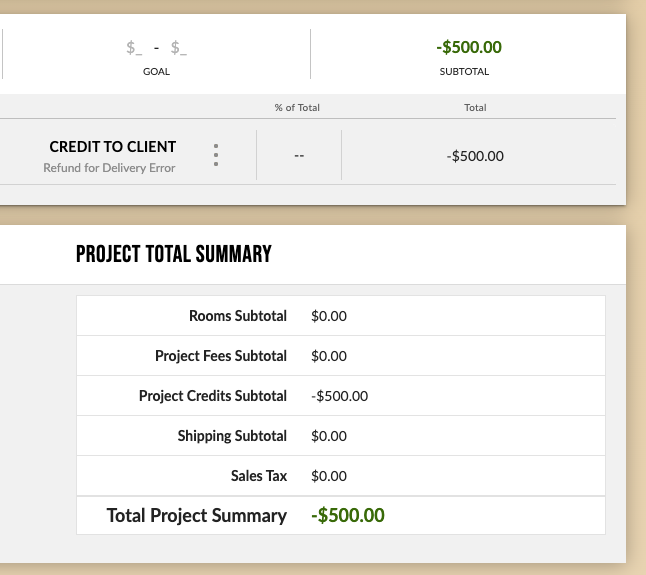
You can now add and manage credits directly on the Project Budget page.
- Create credit lines as a percentage of the project total or a flat amount
- Set and save a credit goal for the project
- Credits reduce the project total and roll into the budget summary
- Credits carry through to both PDF and Excel exports
No more tracking credits in a side spreadsheet or backing them out by hand before a budget goes to a client.
Choose your Excel export columns
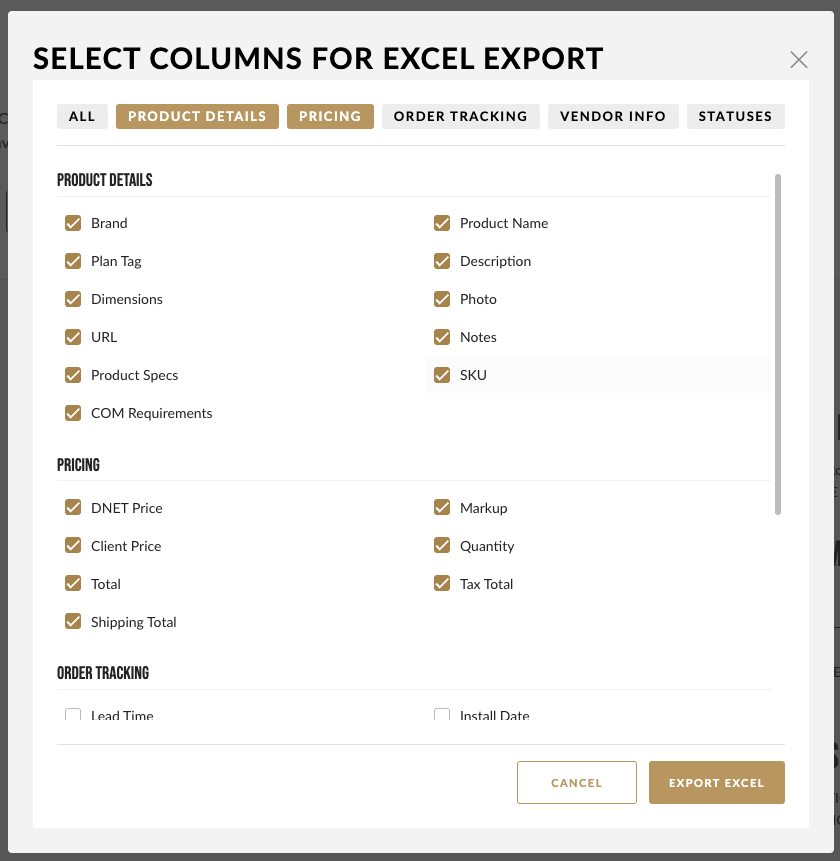
The project spreadsheet export used to push all 30 columns into every file. Now you pick.
When you export, a dialog opens with your columns organized into five groups. Default selections are already checked, and quick-action toggles let you select or clear a whole group at once. Only the columns you choose get rendered.
Formulas still resolve correctly. If you hide a column another column depends on, the export writes the computed value instead of a broken reference.
The result is a clean, purpose-built spreadsheet instead of a 30-column file you have to trim before sending it to a client or contractor.
"Installed" and "Delivered" are now separate statuses
Team Status previously combined these into one option, which meant choosing a single status for two very different stages.
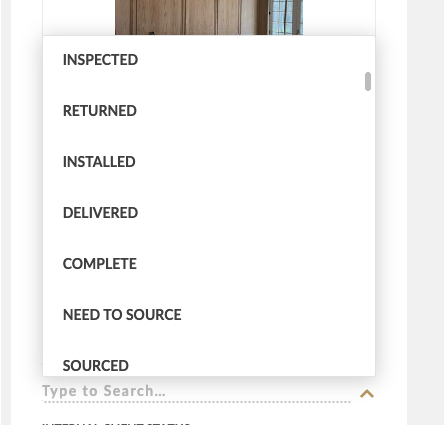
- Team Status now has separate Installed and Delivered options
- Internal Client Status now includes a Delivered status as well
Going forward you can mark something delivered without implying it's installed.
Anything currently sitting on the old combined status has been converted to Installed. If some of those items were actually delivered but not yet installed, re-tag them to Delivered so your project status reads accurately.
Color-code any budget line from the 3-dot menu
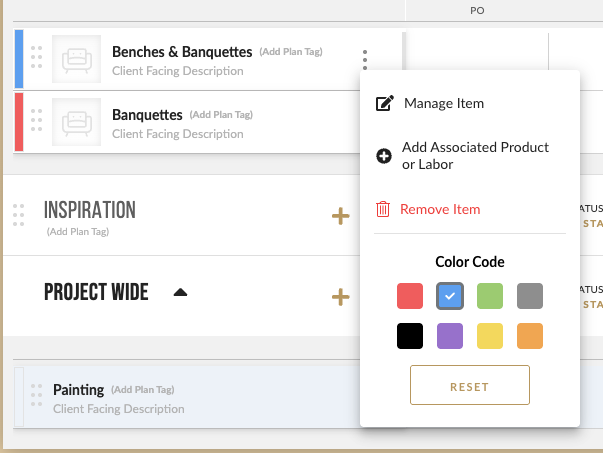
Changing a budget line item's color no longer means going back to the color picker at the start of the line.
Open the 3-dot menu on any line item and you'll find a Color Code section below Remove. Eight swatches in a row, plus a Reset button to clear the color.
Inspiration boards no longer auto-check
If you clip a lighting or rendering shot with a lot of products in it, the clipper used to auto-check whatever inspiration board you saved to last, quietly pulling everything into that board.
Inspiration boards now start unchecked every time you open the clipper. You select them deliberately, per clip.
Project and room selections still auto-restore the way they always have. This change applies to inspiration boards only.
Also improved
Clearer label when moving items between projects
The "Add to Projects" overlay is now titled "Add to Other Project," so it's obvious you're sending items to a different project rather than adding them to the one you're already in.
Questions about any of this? Reach out to support@stylerow.com and the team will get you sorted.